The National Institute of The Deaf

The Journey
Empathize
User interviews
Stakeholder conversations
Surveys and feedback analysis
Reviewing existing product insights and metrics
Role: UI/UX Designer
Scope: Web application, Mobile adaptation, Admin dashboard
Timeline: 2022 - revisited 2024
Tools: Figma, Adobe Illustrator, Prototype testing
Define
Persona development
Problem statement creation
Competitive analysis
User journey mapping
Structure
Information architecture
User flow mapping
Concept sketching
Low-fidelity wireframes
Design
Wireframes and mockups
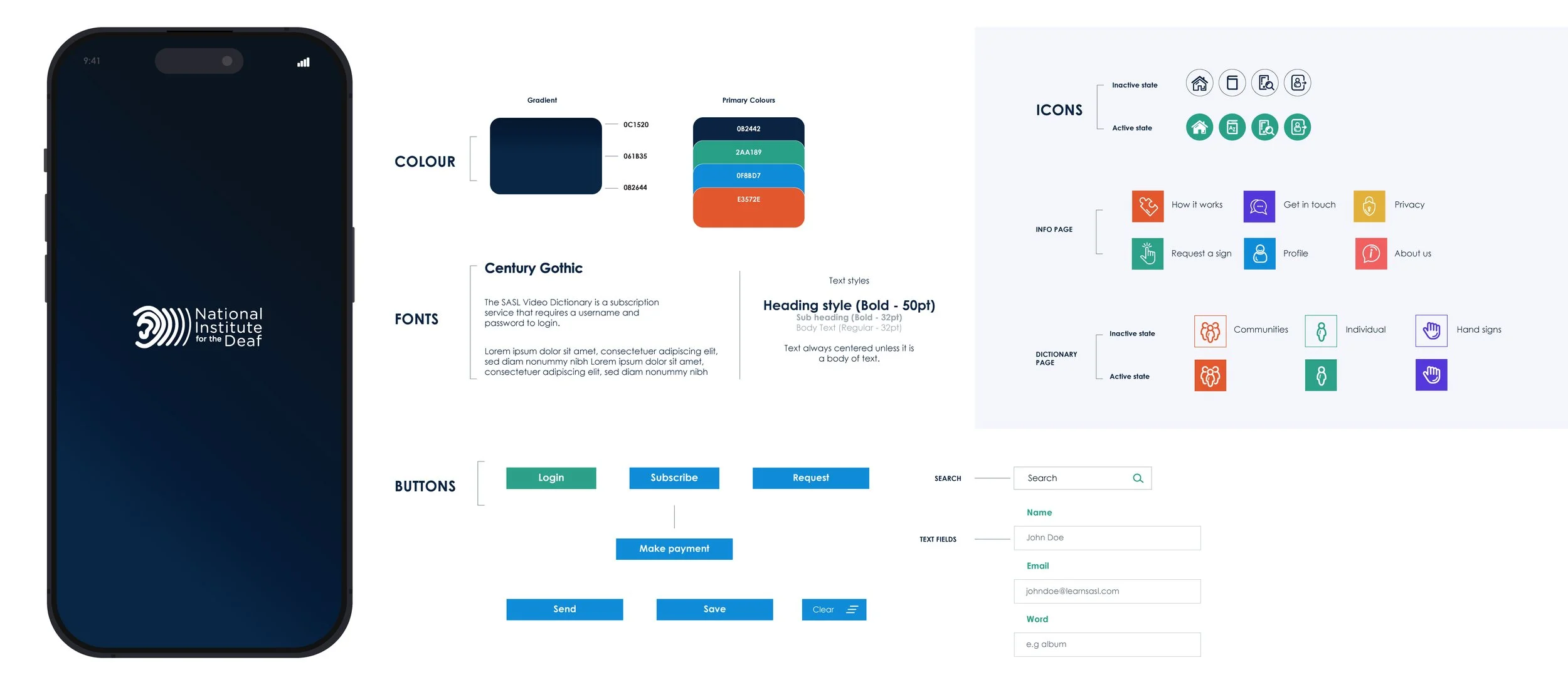
High-fidelity UI design
Interactive prototypes
Visual system refinement
Refine
Usability testing
Feedback synthesis
Iteration and optimization
Interaction refinement
Empathy
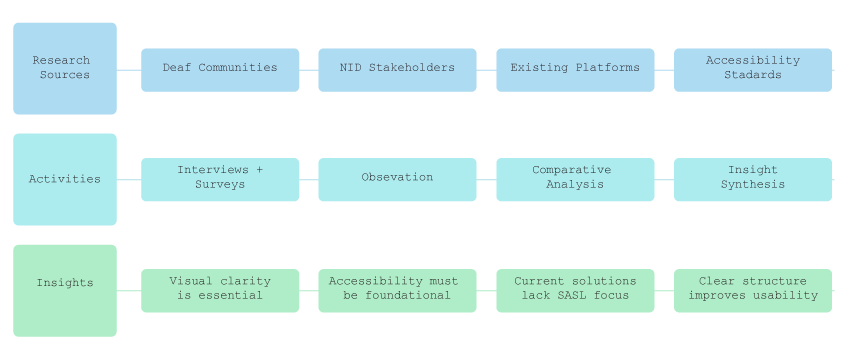
The first thing I learned: accessibility isn’t a feature. It’s the product.
To understand where things were breaking down, I spoke with stakeholders and reviewed the existing platform.
It became clear pretty quickly: the content was valuable, but the experience made it harder than it should be to learn.
That insight shaped the goal — remove friction, and let the learning come first.
Define
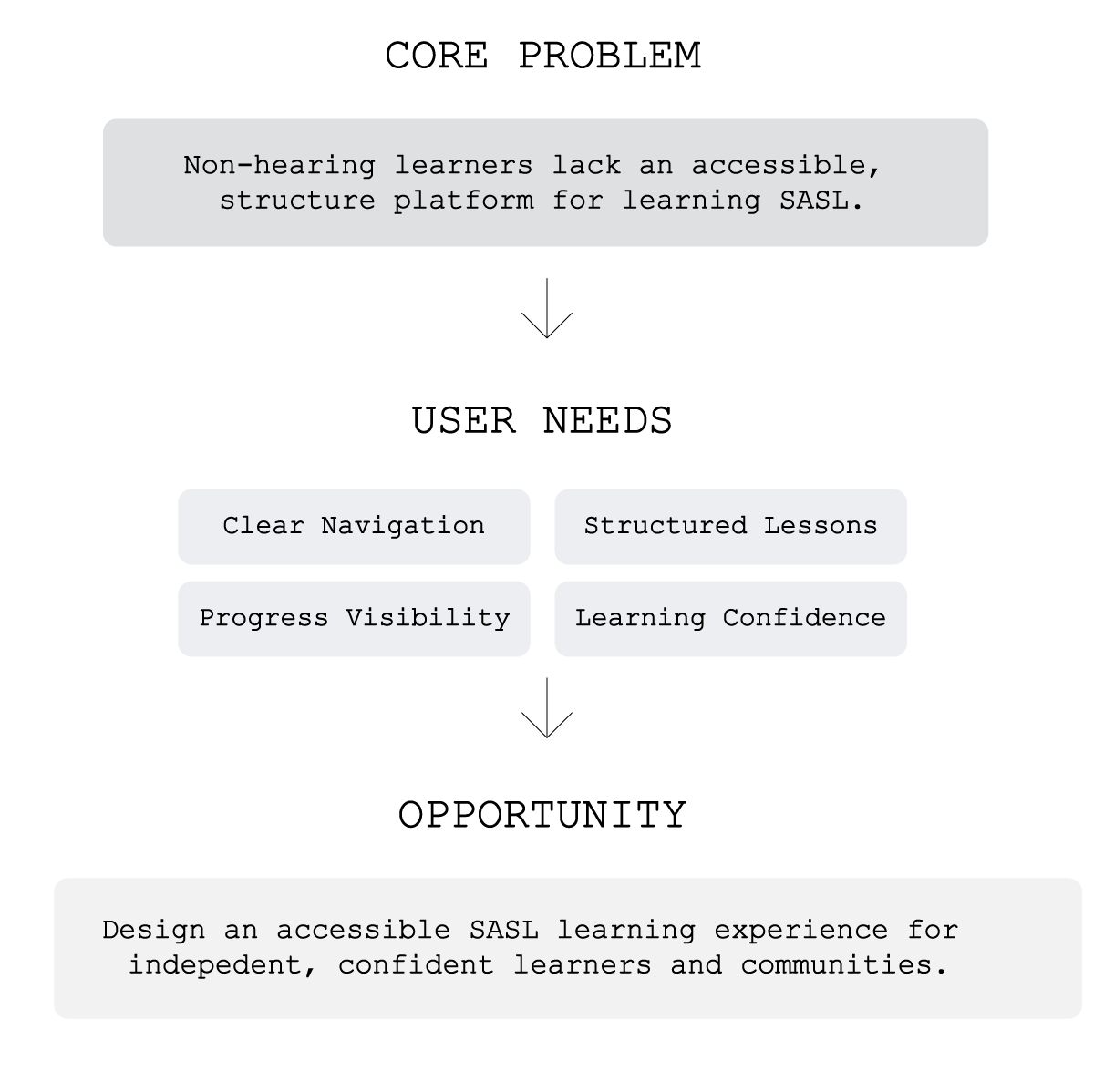
After immersing myself in the experiences of Deaf learners and stakeholders, I synthesized my findings to define the core problems and identify meaningful opportunities for improvement. This phase established a clear foundation for the design direction.
Structure
The Dirty Work
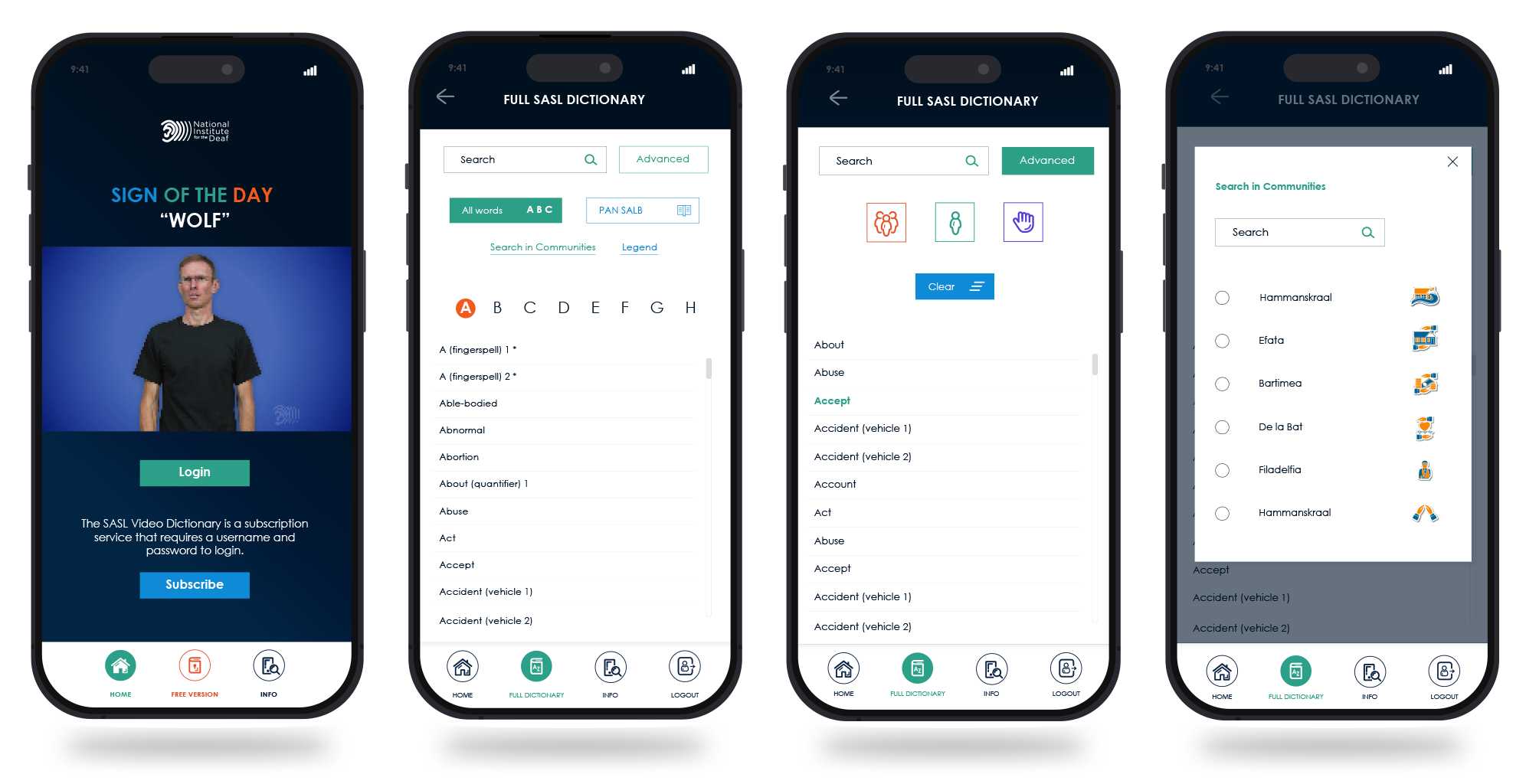
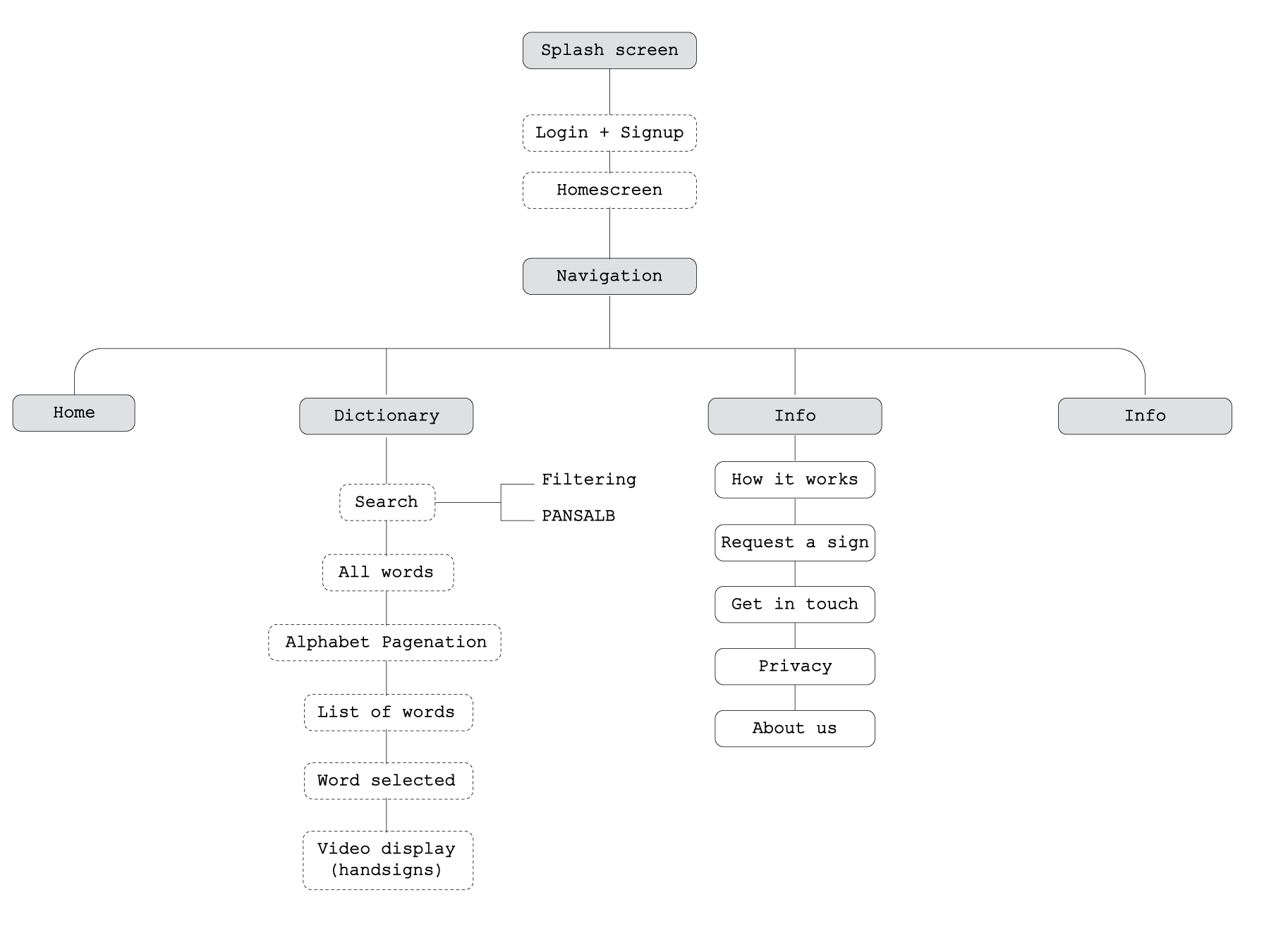
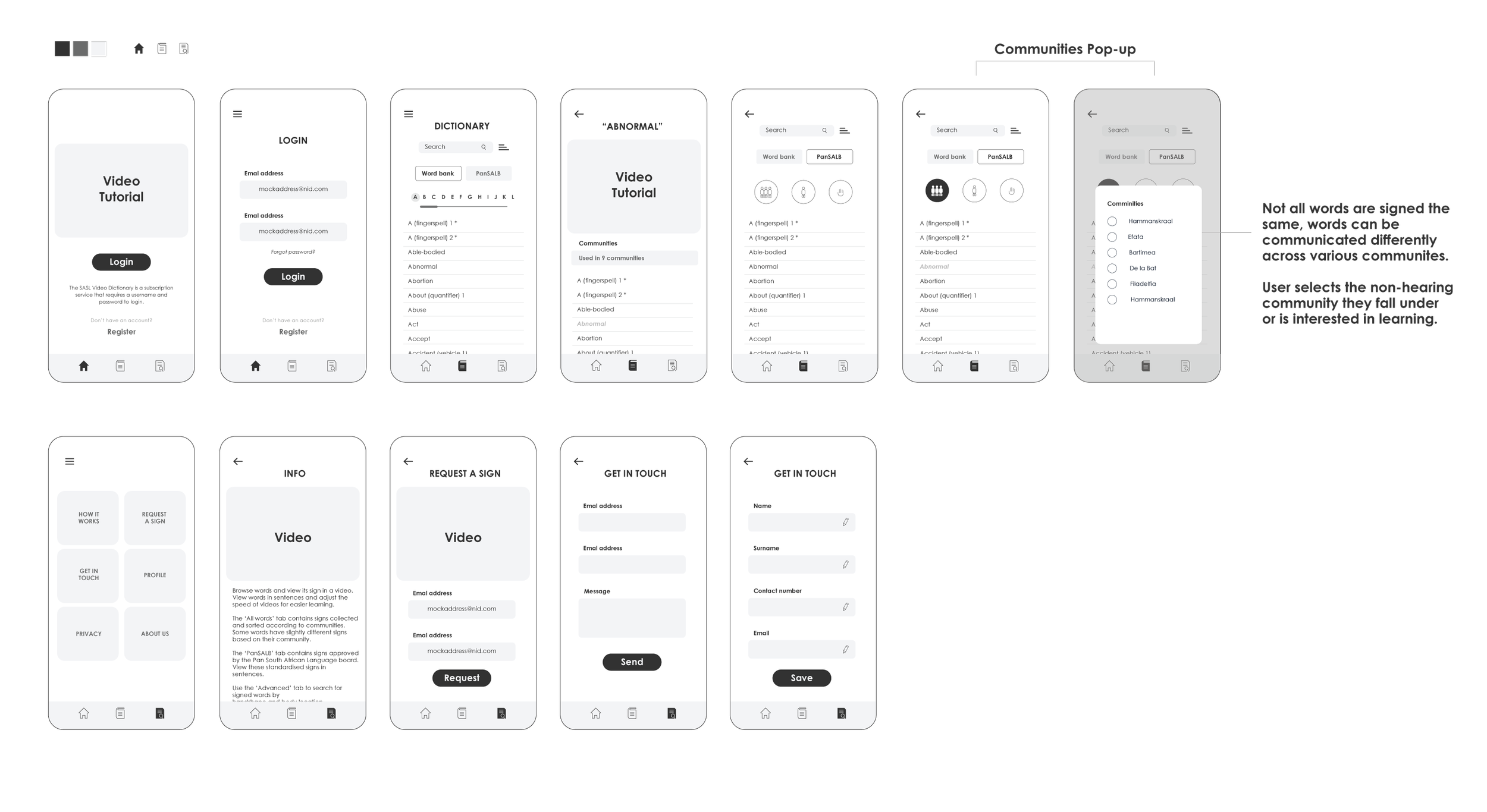
After defining the core problem and user needs, I mapped the product’s information architecture and user flows to ensure a clear, intuitive learning journey.
This phase focused on organizing content logically, simplifying navigation, and designing a structured progression model that supports independent SASL learning. By outlining key pathways — from signing in to a seamless learning experience for all — I ensured the experience was visually clear, accessible, and easy to navigate.
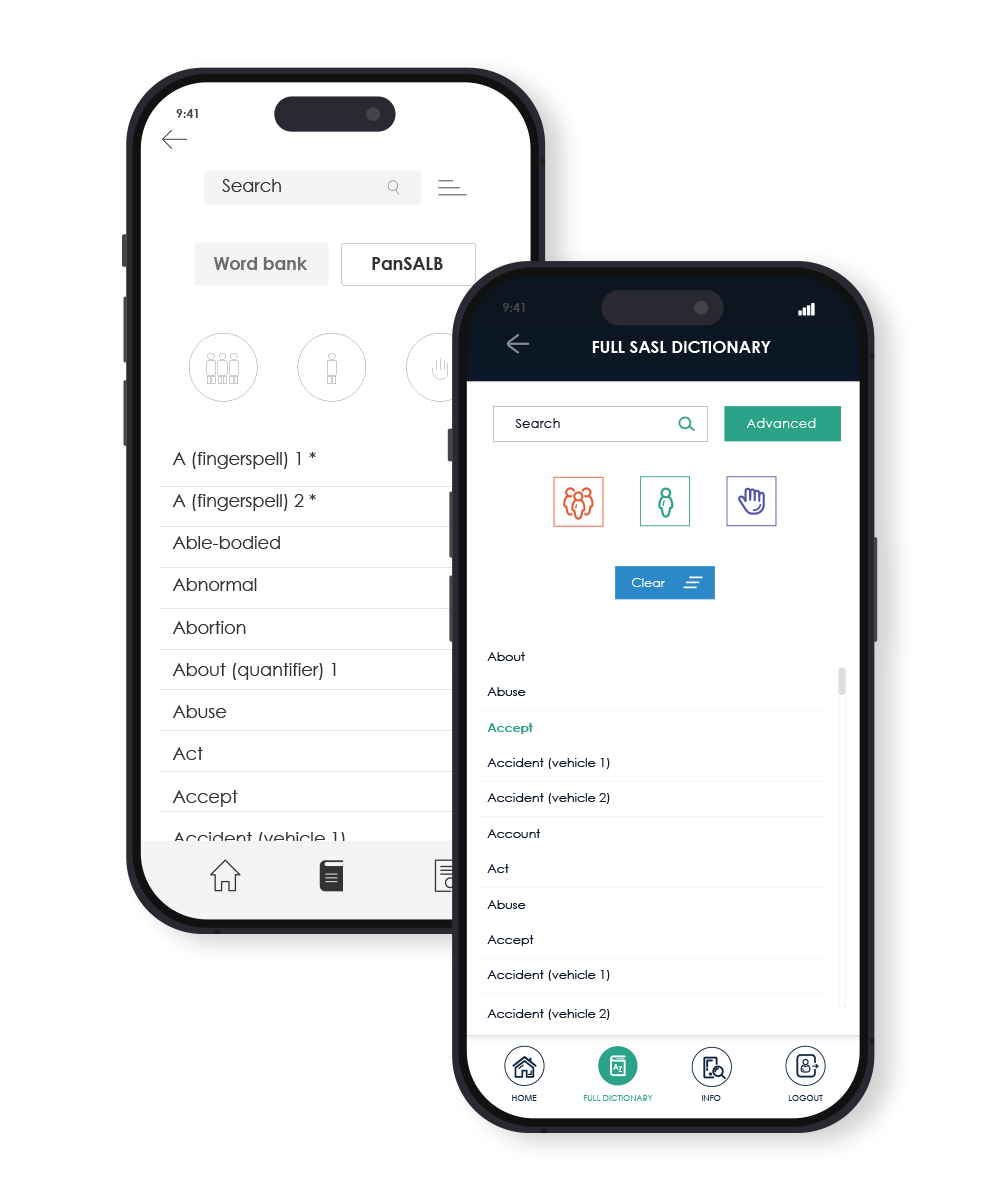
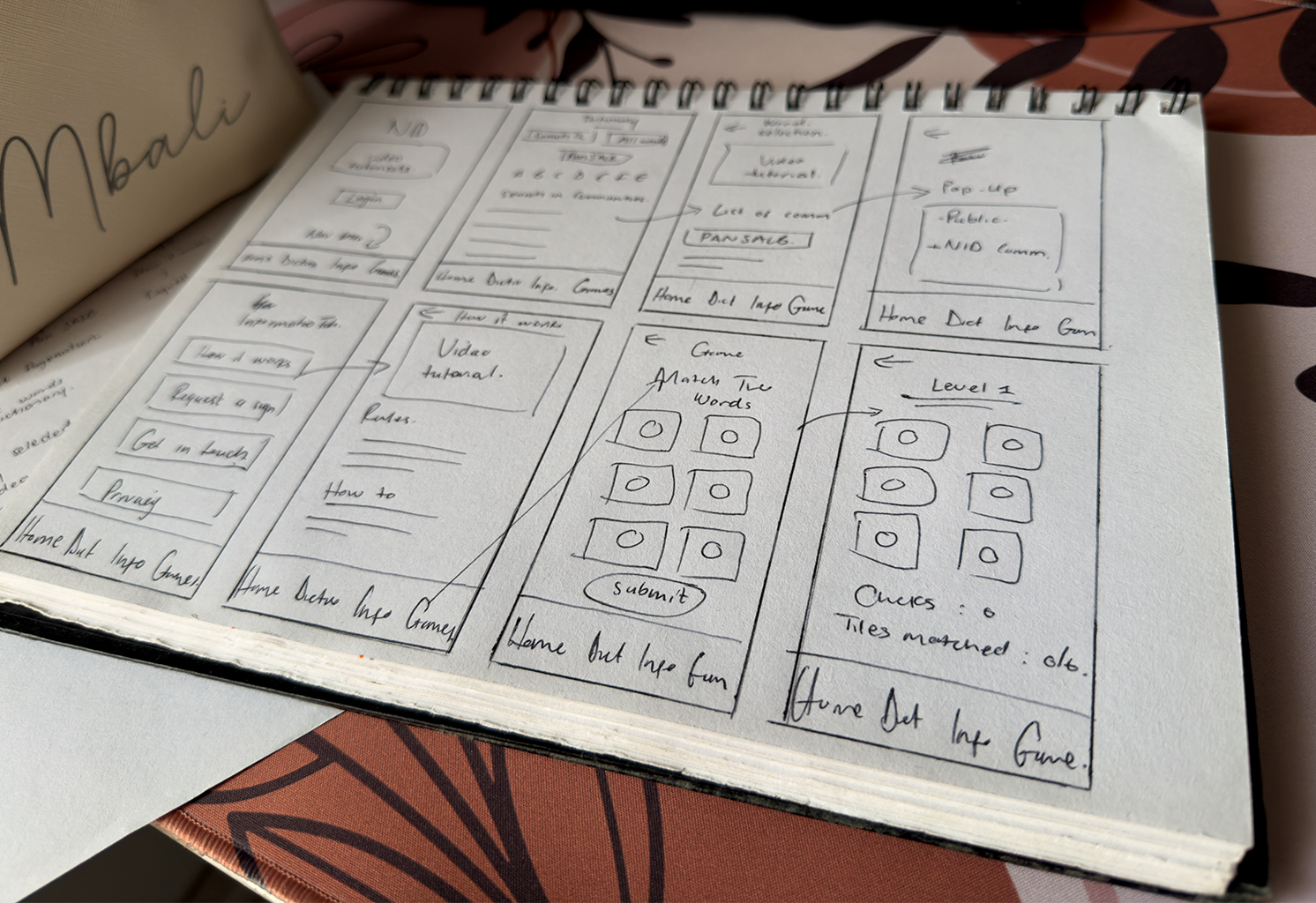
The following diagrams and wireframes illustrate how the platform’s foundation was shaped before moving into high-fidelity design.
The Bones
Prototypes
Designing for the Deaf community fundamentally changed the way I approach UX. I quickly realised that accessibility isn't something you add at the end of a project—it's the foundation every design decision should be built on. Every interaction had to reduce cognitive effort, improve clarity, and support users with different communication needs.
Throughout the project I learned that the simplest solution is often the most effective. Features that initially seemed valuable were removed or simplified once testing revealed they introduced unnecessary friction. Prioritising clear navigation, structured learning paths, and visual consistency ultimately created a far stronger experience than adding more functionality.
The project also reinforced the importance of validating assumptions early. Regular stakeholder feedback and iterative prototyping allowed issues to surface before development, reducing rework and ensuring the final product aligned with both learner needs and organisational goals.
What Worked
✓ A clearer information architecture made learning pathways easier to understand.
✓ Consistent UI components created a familiar experience across web, mobile and the admin platform.
✓ Accessibility-first decisions improved usability without sacrificing visual quality.
✓ Early collaboration with stakeholders reduced design revisions during development.
Looking Back
Reflection & Impact
What Didn't
• Some early navigation concepts introduced too many decision points and increased cognitive load.
• I initially underestimated how differently various Deaf communities interpret certain signs, requiring greater flexibility within the dictionary experience.
• Balancing accessibility requirements with technical constraints meant not every desired feature could be implemented in the first release.
Post Launch
Although the redesign was only one step in the platform's ongoing evolution, it established a scalable design foundation that could continue to grow with the product. The new design system improved consistency across future features while creating a more intuitive learning experience for first-time users.
The project also strengthened collaboration between design and development by providing clearer specifications, reusable UI patterns, and a shared understanding of accessibility requirements.
The Outcome
Reduced the number of steps required to reach learning content.
Improved consistency across 20+ screens.
Established a reusable design system used across mobile, web and the admin dashboard.
Delivered a responsive experience supporting multiple devices.
Created a scalable platform capable of supporting future learning content and feature expansion.
My Biggest Takeaway
Great UX isn't about designing the most features—it's about removing barriers. This project taught me that the best experiences are often the ones users barely notice because every interaction feels intuitive, inclusive, and effortless.
This project reminded me that inclusive design isn't a niche discipline. It's simply good design. When accessibility becomes the starting point rather than an afterthought, everyone benefits.